The first hour of Malignus is not about building the biggest dungeon. It is about creating a loop that can feed, house and direct the minions you already have, then turning one corridor into a defense you can trust.
The game is in active development, and the public material does not document every number. This guide sticks to the systems visible in the official build and marks recommendations as editorial. If a value is not published, it is not invented here.
Before you start
1. Choose a boss you can build around
The New Dungeon flow starts with a boss. You have four options, and the official boss-select screen lists a partial stat spread for each. The full published picture is:
| Boss | Listed stats | What the kit emphasizes |
|---|---|---|
| Cinder Demon | Battle 10 · Cruelty 6 · Hunt 5 | Close-range fire, Flaming Steps and a throne-hall fight. |
| Dread Lich | Battle 5 · Hunt 5 · Occult 10 · Cruelty 8 | Souls, bound skeletons and a large occult upgrade tree. |
| Baleful Eye | Battle 6 · Hunt 10 · Occult 8 · Cruelty 8 | A 15-second Annihilation Ray, Corrosive and Flight. |
| Sunken Horror | Cruelty 10 · Occult 8 · Battle 7 | A dread aura and tentacles, with no published ability list. |
For a first run, pick the fantasy you want to support. The Cinder Demon wants a throne room that can become a fight. The Dread Lich points toward a lore-heavy dungeon. The Baleful Eye wants open sightlines. The Sunken Horror is the most speculative because its kit is the least documented.
2. Pick four starting minions and spend their points
The second New Dungeon step shows four starting minions and lets you spend their stat points. The world step then offers a preferred race, starting stacks of 20 each, and a seed. The official screenshot shows a random seed and “No preference” for the preferred race.
The minion stats are Battle, Hunt, Labor, Craft, Occult and Cruelty. For a first run, a balanced crew is easier to manage than four specialists: at least one miner/builder (Labor), one cook/crafter (Craft), one hunter/forager (Hunt), and one minion who can fight (Battle). You can adjust later; the point is to have every basic job covered.
3. Do not treat the demo as a permanent save
No save-transfer path from the demo to Early Access has been announced. If you are practising before launch, treat the dungeon as disposable.
The starting-minion screen is not a class system
The four starting minions are individuals with stats and gear, not four fixed classes. The game does not publish a “class” label for minions. Assign work through the duties table rather than assuming a minion is locked into a role by its portrait.
Read the dungeon screen
Before you dig, identify the information the HUD is giving you. The official main screen shows:
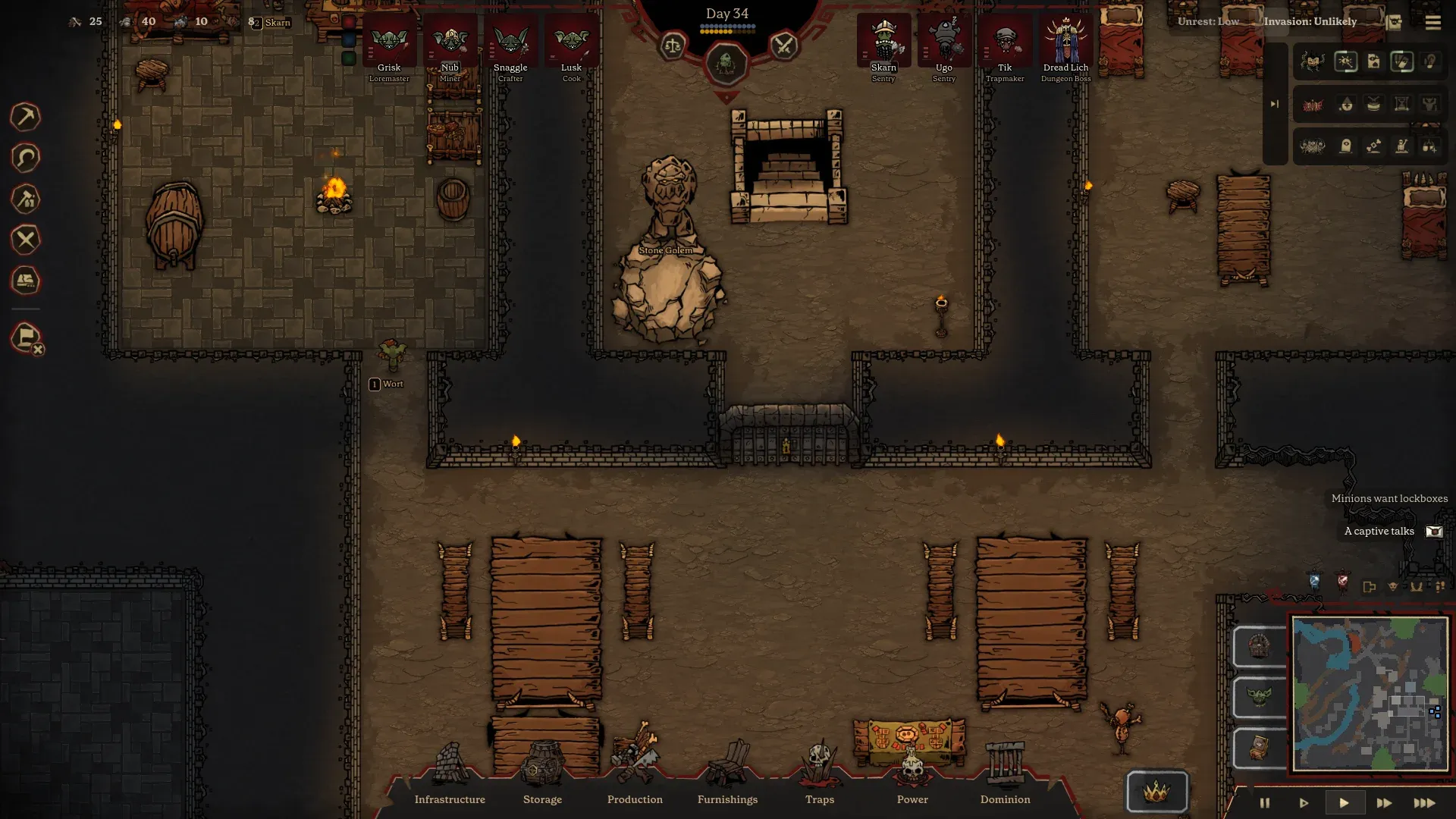
- Day counter at the top center.
- Resource counters along the top left, including food and gold-type values.
- Unrest and Invasion status at the top right. In the official screenshot they read “Unrest: Low” and “Invasion: Unlikely.”
- Pinned crew portraits, which show who is selected or important.
- Order tools on the left side, including mining and other direct commands.
- Build categories along the bottom: Infrastructure, Storage, Production, Furnishings, Traps, Power and Dominion.
- Minimap and speed controls in the bottom-right corner.
That is your entire control surface. When something goes wrong, check the same four places: resources, crew, build orders and the Unrest/Invasion status. Most first-run problems are visible there before they become irreversible.
Phase 1: secure the basics
Dig a small footprint first
Mark rock to mine and let the minions pull the jobs themselves. The official mining screenshot shows the player designating a block of rock and the minions doing the work. Resist the urge to carve a cathedral on day one: every new room adds hauling distance, pathing and furniture demand.
A sensible first footprint is a compact cluster around the starting area: a Great Hall, a kitchen, a sleeping room, a storage area and one workshop. The official day-34 screenshot shows a grown dungeon with a Great Hall, Stair Vault, kitchen and minion quarters cut into the rock. That is a mature version of the same core.
Build the food chain before the furniture
The official cooking screen shows a Cooking Table with a recipe picker and an order queue. Food sits on tables in the dining hall. The Grumbling screen explicitly complains about minions who “ate on the floor, away from any table or campfire” and those who “ate it raw.”
The lesson: a kitchen without a table is not a food system, and a table without a cook is furniture. Put a cooking table, a food storage shelf and a dining surface close together, then assign a cook. Keep the kitchen near the food storage and the dining area to reduce hauling.
Give them beds, then lockboxes
Minions need beds and gear, and the official HUD can show a “Minions want lockboxes” alert. Lockboxes appear on the Gear tab as a personal storage slot. Build the sleeping area before expanding the workshops; a tired minion is a grumble waiting to happen.
Use storage filters
The kitchen shelf screenshot shows a filter tree that decides which items haulers bring to it. A storage room without filters turns into a junk drawer. Set at least a food shelf, a crafting-material shelf and a gear/armor shelf as separate destinations when the dungeon starts producing more than one resource type.
Phase 2: manage the people
Open Dungeon Duties after the first rooms are running. The table shows every minion against every job, with priorities set to high, normal, low or off. The official example uses a mix of colored cells and checkmarks, and some minions have a single strong stat highlighted.
A simple duty policy
- One primary job per minion. A cook should cook; a high-Labor minion should mine and build.
- Set a secondary job only when the primary is idle. The priority system is a queue, not a wish list.
- Do not set everything to high. If every job is urgent, none is.
- Keep one flexible hauler. Hauling and drudgery are their own columns; someone needs to move the output.
A simple behavior policy
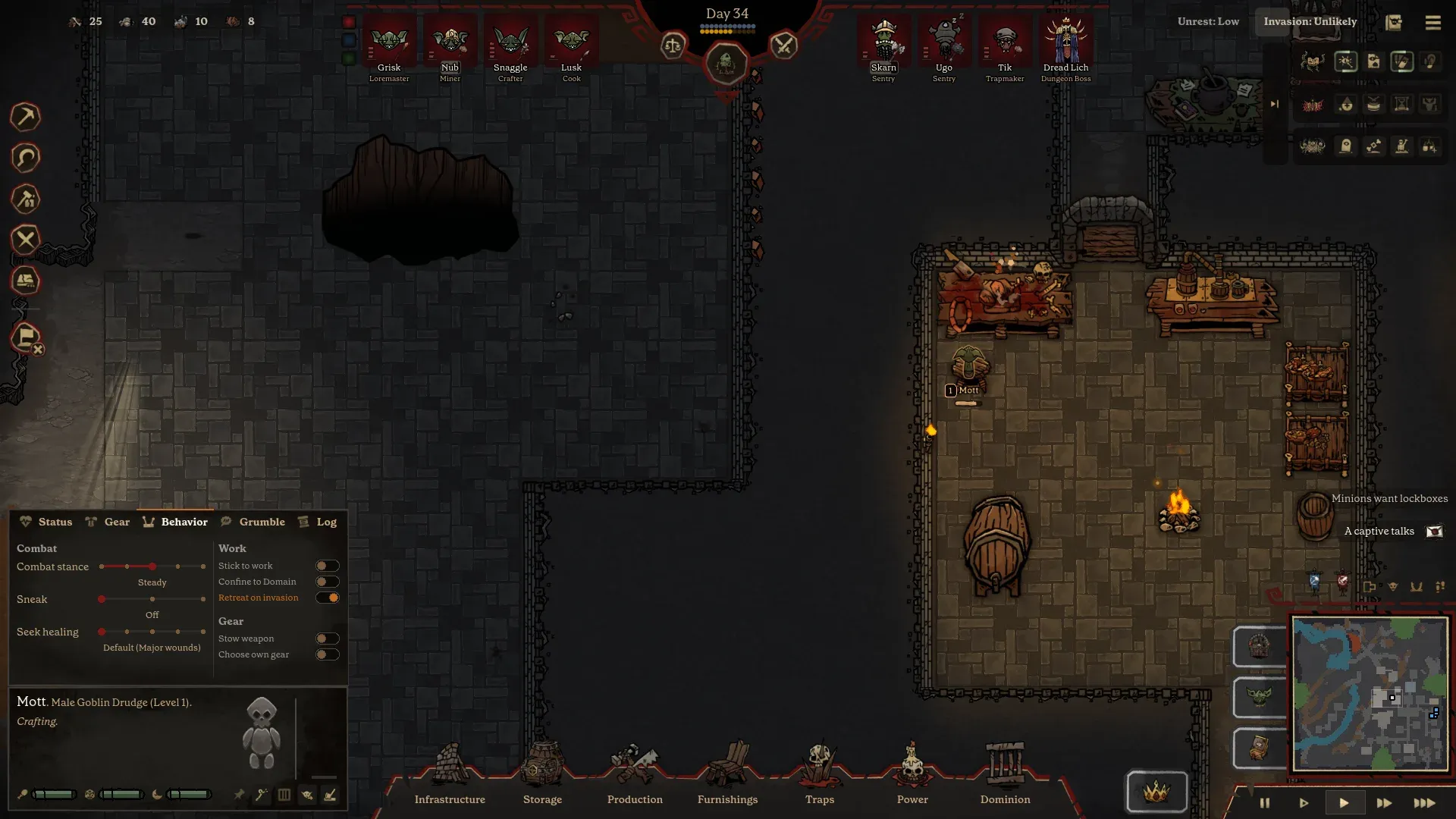
- Non-combatants: enable “Stick to work,” “Confine to Domain” and “Retreat on invasion.”
- Combatants: keep them in the domain during a raid and give them a weapon they can actually use.
- Healing: leave the default at major wounds unless you are testing a specific strategy.
- Gear: letting minions choose their own gear is a reasonable default early; review it once you have a proper smithy.
Then read the Grumbling screen. It lists complaints by type and counts the minions who share them. “Ate like a dog” points at the dining setup. “A friend bleeds” points at a wounded buddy or a dangerous job. “Saw the Boss get wounded” points at how exposed your boss was. Fix the cause, not the complaint counter.
Phase 3: build a kill corridor
Traps are a separate build category with Mechanisms, Triggers and Wiring tabs. Ten mechanisms are visible in the official build menu, and five trigger families are published. The confirmed example is a pressure plate wired to a Dart Thrower.
For a first defense, keep it simple:
- Choose one approach. A single corridor between the outside and the Great Hall is easier to trap than five open entrances.
- Place a trigger where the party must walk. A pressure plate is the clearest published floor trigger.
- Place a damage mechanism with a clear line. The Dart Thrower is the confirmed example; Spinning Blades, Flame Sprayer, Gas Sprayer and Electric Coil are also in the build menu.
- Add a control or utility layer. Web, Alarm, Terror or Spider Trap can change the fight rather than just subtract health.
- Test it with your own traffic. The public material does not confirm friendly-fire rules. Watch what happens when a minion hauls through the corridor before you trust it.
The trap defense guide has the full corridor layout and a test plan.
Phase 4: survive the first invasion
The HUD shows Invasion as a status. The official screenshot uses “Unlikely,” but the exact trigger for a raid is not published. When an invasion does arrive, the fight is a party battle, not a single line of enemies.
- Do not send the cook. Non-combatants with “Retreat on invasion” should fall back behind the defense line.
- Fight behind the wire. Let the corridor do its work before committing the Boss and melee minions.
- Watch for casters. Official footage shows adventurer casters using lightning. A pure melee response can be flanked or outranged.
- Capture, don't just kill. Surviving adventurers can be chained in a Cell Block and interrogated. Prisoners have their own needs and a “A captive talks” alert.
- Read the Grumbling screen after the fight. A wounded boss or a dead buddy can upset the whole dungeon.
The first invasion is a diagnostic
Do not judge the run by whether anyone died. Judge it by which layer failed: the corridor, the response force, the healing, or the morale system afterwards. That tells you what to build next far better than a generic “build more traps” rule.
Phase 5: your first raid
Once the dungeon can feed itself and the first invasion is survivable, look at the overworld. The boss-select screen gives a clear early target: 5 treasure takes the Boss to level 2. A controlled first raid can hit that threshold and improve your defense.
The official overworld screenshot shows Tier I farmsteads and monster packs. Pick a target you can reach and survive; leave a defense at home; bring the treasure back. Then expect the world to respond. The store description says the world remembers what you did, and the hoard is what draws adventurers.
The first raid guide covers preparation, target choice and the return trip.
Phase 6: lore and magic
The Dark Arts screen opens once you have the buildings and minions to support it. Lore is produced by bookshelves: the official tooltip says every bookshelf already holds a node, and building another bookshelf and filling it with 10 books gives 1 lore. Pyromancy III costs 1 lore and unlocks Fireball.
For a first run, pick one school instead of spreading lore across all four. Put the altar and its worship spots in the same room, within five tiles of each other, or the worship setup does not work. The dark arts page has the full school breakdown.
Common first-run mistakes
Digging too far, too fast
Every room adds hauling distance and furniture demand. Build a compact core before expanding.
Setting every duty to high
The priority system is relative. Four high-priority jobs is the same as no priority.
Building traps without a corridor
A trap in an open room is a suggestion. Put the trigger where the party must walk.
Ignoring the Grumbling screen
Morale problems have specific causes. The screen tells you which ones are active.
Raiding without a home defense
Treasure raises the Boss, but it also raises the hoard invaders want. Leave a defense behind.
Assuming demo saves carry over
No save-transfer path has been announced. Do not plan around it.
Sources
Sources for this page
- 01Official Malignus interface screenshots — Mossbomb
The press kit's 'Screenshots with the interface' set documents the New Dungeon flow, boss select, minion stats, duties, grumbles, behavior settings, trap build menu, wiring, Dark Arts, boss upgrades, prisoners, altar and overworld map. Used for observations that are not spelled out in the store copy.
- 02Malignus press kit and fact sheet — Mossbomb
Fact sheet, development history, feature list, character and creature art, screenshot captions, and permission for press and content creators to use the kit's media in coverage of Malignus.
- 03Malignus on Steam — Valve / Mossbomb
Store description, Early Access Q&A, tags, supported languages, features, system requirements and the storefront's November 12, 2026 date display.
- 04Mossbomb — the studio making Malignus — Mossbomb
Developer site. Confirms the November 13, 2026 Early Access date, $19.99 Early Access price, $29.99 planned 1.0 price, monthly updates, demo status, platforms, co-op and headline features.
- 05Malignus Demo on Steam — Valve / Mossbomb
Separate demo app. Confirms the October 19, 2026 demo release, the demo's 'everything in the current game' scope, co-op support and demo system requirements.
Accessed 1 November 2026. Full source log and verification notes: Malignus Wiki sources.